Review queues.
Rules settle the obvious.
Send content to a queue and ContentMod scores it. Clear cases are accepted or rejected automatically, and borderline ones wait for your team with the scores and reasons beside them.
Items that pass every rule are accepted. Auto-reject is off, so items that break one wait for your team instead of being rejected.
Three steps between an upload and a decision.
Send items from your backend
Add text or images to a queue with the SDK or the API. Each item can carry an actor ID and your own metadata.
Rules check every item
Automatic queues run each item through ContentMod and compare it with your rules: toxicity and spam thresholds, category severity, banned words and allowed languages.
The obvious is settled for you
Passing items are accepted, failing ones are rejected or held for review. Every decision, by a rule or by your team, fires a webhook.
Two kinds of queue. Pick how much you trust the rules.
Rules decide first.
Every item is analyzed and checked against your thresholds. Items that pass are accepted, items that break a rule are rejected, or held for review if you'd rather see them first.
Every item waits for a person.
Nothing is decided without your team. Turn on AI analysis to see the scores and categories next to each item while you decide.
A few lines to add. A webhook when it's decided.
const queue = cm.queue("YOUR_QUEUE_ID")

const item = await queue.addItem({
  type: "text",
  content: listing.description,
  actorId: seller.id,
})

// later, or from your webhook
const { status, accepted } = await queue.getItem(item.id){
"event": "queue.review.completed",
"data": {
"id": "6f1c…",
"type": "text",
"status": "rejected",
"accepted": false,
"content": "Leather jacket, message me on whatsapp…",
"moderation": { "isSafe": false, … }
}
}Every decision,
in one place.
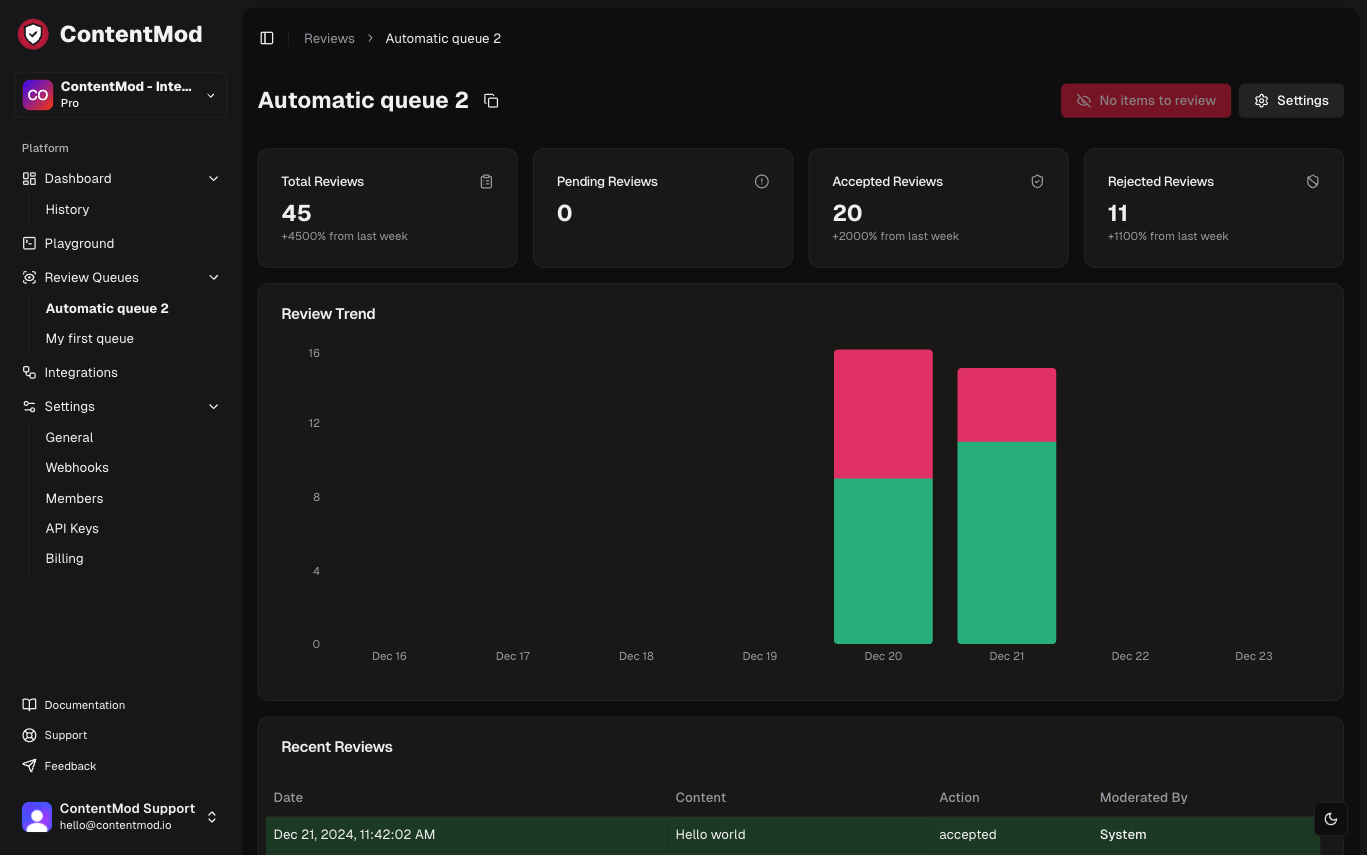
The dashboard shows each queue's totals, what's pending, what was accepted or rejected, the trend over time and who made each call.